Coders at Work
Memorialization and the DevOps strategy
What is “DevOps”?
DevOps keynote slides.
Upshot
In order to…
…make our contributions make other people’s science better (within our group, and other labs)
…keep our own peace of mind!
…foster healthy, fun and productive collaborations
…maximize our own efficiency
version-control can be used smoothly for entire projects (analysis and write-ups, not just code).
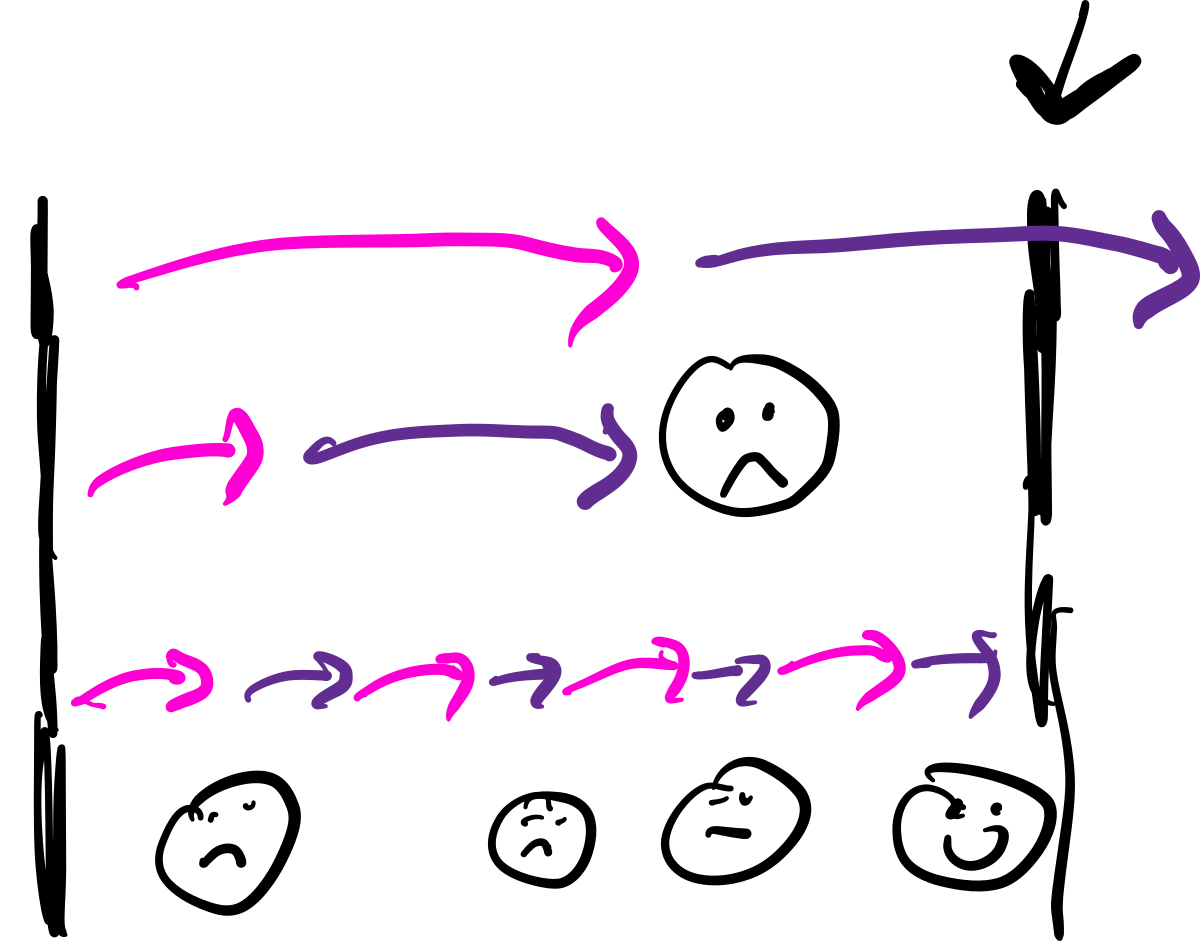
This allows you to use a small-batch, beginning-to-end, continuous-improvement “DevOps” approach (also known as “first, build a bike”). This approach has pros and cons.
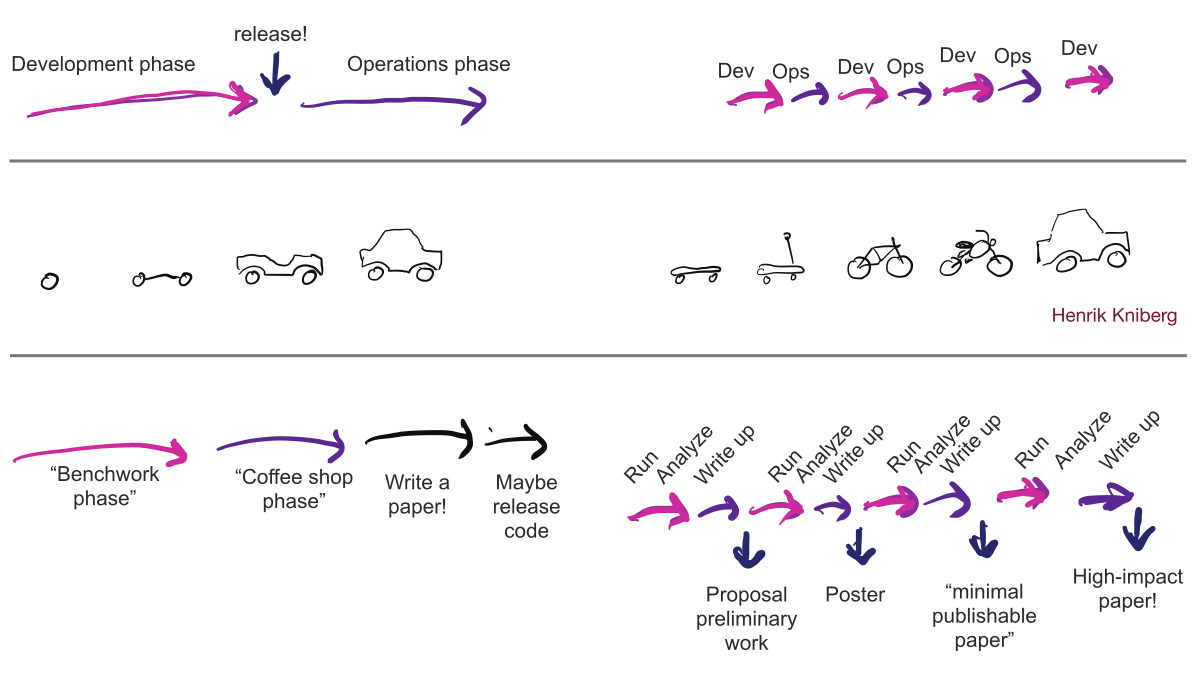
The biggest pro is that you have the option of hitting a deadline “Promise to ship, but don’t promise the result” (to quote Seth Godin in the book “Shipping Creative Work”).
Internal resources for coder performance
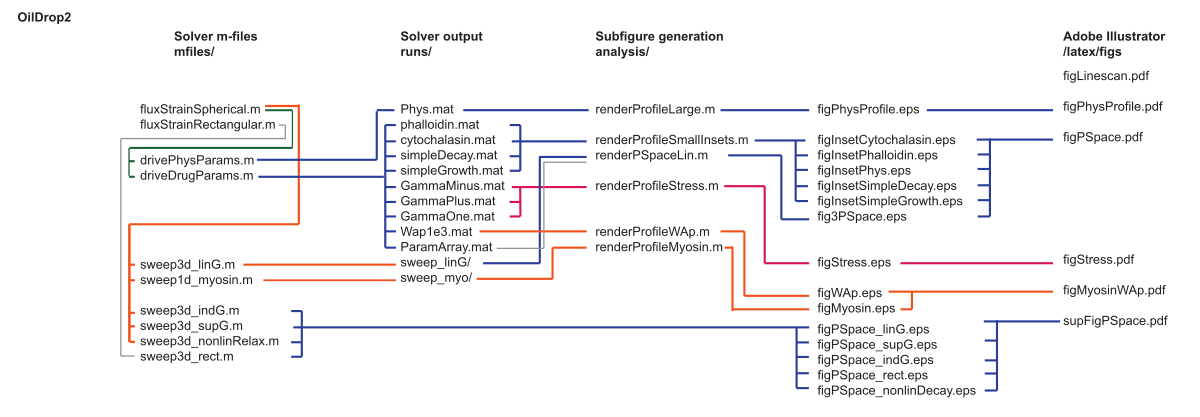
A project workflow file with functions, scripts, input and output. The program VSCode with draw.io plugin is excellent for this. “Diagrams are a great way to communicate ideas visually and can be used to extend or sometimes even replace textual documentations of software projects.”, Draw.io VS Code Integration.
Start the latex doc early! Prototype latex doc that Jun uses personally in this git repo. (This is good for Project Seeds, and papers. Probably not good for thesis.)
Example from the physics-based cell biology stochastic simulator ReaDDY of their “source tree” and code repo organization
When to go full-on DevOps, and when not to?
These tools, like the project workflow schematic, are sometimes useful but sometimes overkill. It is important to have the ability to use these tools, but then it is ok to decide not to use them.
Here are some rough guideline
- Even for the simplest code:
Thoughtful variable names with consistent style (
camelCase,snake_style, etc)Comment at the top that says what the script tries to achieve
- When you have a presentable figure
git and version control
Design a single source of truth, within a scripts. i.e., design so you don’t need to type in the same information twice, unless there is a test that shows an error if they mismatch.
- Past the Norris limit of around 1500 lines
The Norris limit is rough amount of code an untrained programmer can write before the code becomes so tangled that the author cannot debug or modify it without herculean effort.
Dedicated
/docdirectoryThoughtful tree (i.e., folder and subfolder) structure. There are entire articles written on whether to put source in a
/srcdirectory.Roughly 20% of time “refactoring” (improving the code even if it’s working fine as is). An expression from software engineering is “technical debt”, the amount of disorganized clutter that slows future progress. How much time should you spend paying down technical debt (re-organizing your notes and directory structure, taking notes) versus producing results? This is called “refactoring”. We debated this percent a lot and this is the range that emerged.
- Once the first draft project outline has crystalized (you know the question/gap and approach, and know the figures to generate). This can be one hour a day, one day a week, or one week per month.
Design a single source of truth, within the workflow.
Quickstart.mdto do the simplest complete figure generation (generate data and plot it, e.g., in Matlab). This must work in someone else’s hands, on someone else’s machine. Therefore, you need large datasets (“artifacts”) to be in a shared location, possibly outside of a git repo if they are large.Project workflow diagram using draw.io or similar
- How big should a file be? How big should a function be?
Resources for coders at work